

Placas de Desarrollo

Existen una gran variedad de placas con distintas características que las diferencian entre si, ya sea por su capacidad de almacenamiento, cantidad de pines, velocidad, tipo de conexión a la red, etc. Acá te explicaremos, como instalar y programar con estas tarjetas, dándole vida a tus lineas de código.

INSTALANDO ESP32 Y NODEMCU

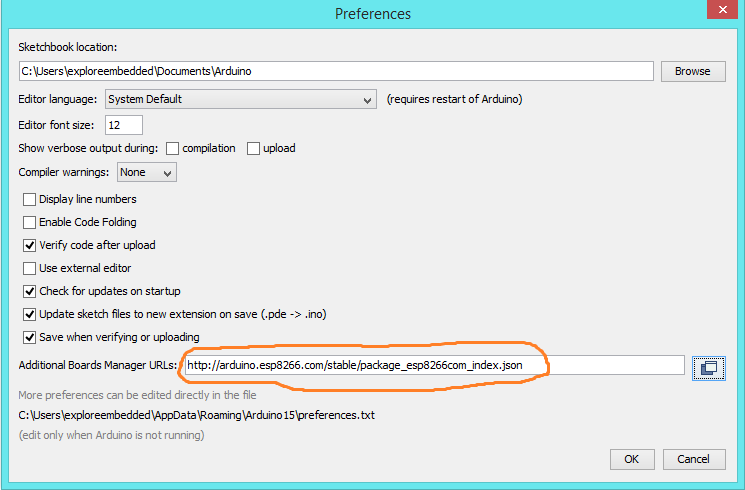
Para instalar estas placas, dirigete al Ide de Arduino, abre archivo, preferencias, y en el “Gestor de URLs Adicionales de Tarjetas”, pega las siguientes lineas:

http://arduino.esp8266.com/stable/package_esp8266com_index.json

https://dl.espressif.com/dl/package_esp32_index.json

https://resource.heltec.cn/download/package_heltec_esp32_index.json

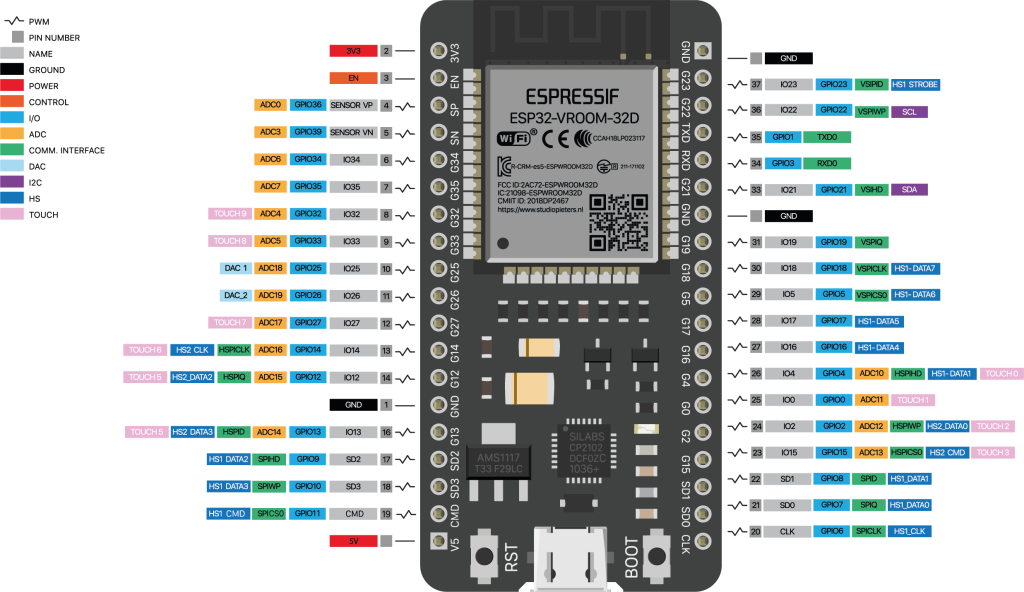
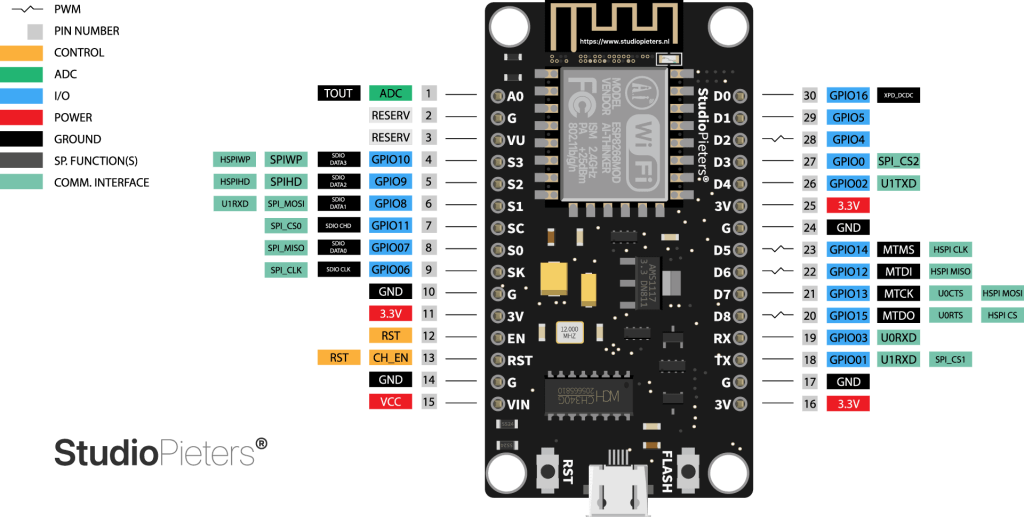
Luego, ve a herramientas, Gestor de Tarjetas y para instalar Nodemcu, digita esp8266, luego instala la tarjeta. Para esp32 debes digitarla también y así instalarla.

Pinout Nodemcu

nodemcu
school template curriculum img 3.jpg

Humanities

The study of ancient and modern languages, philosophy, history, and more. We take pride in offering top humanity courses from a dedicated and trained staff.

school template curriculum img 4.jpg

Science

The study encourages scientific reasoning, discoveries and inventions. Great teachers and well-equipped laboratories help students explore, discover and experiment new things under the best supervision.

school template curriculum img 5.jpg

Mathematics

Understanding the game of numbers and logic to solve real world problems. Learn mathematics from scholars and university toppers who not make it interesting, but also fun to learn.

College Opportunities